
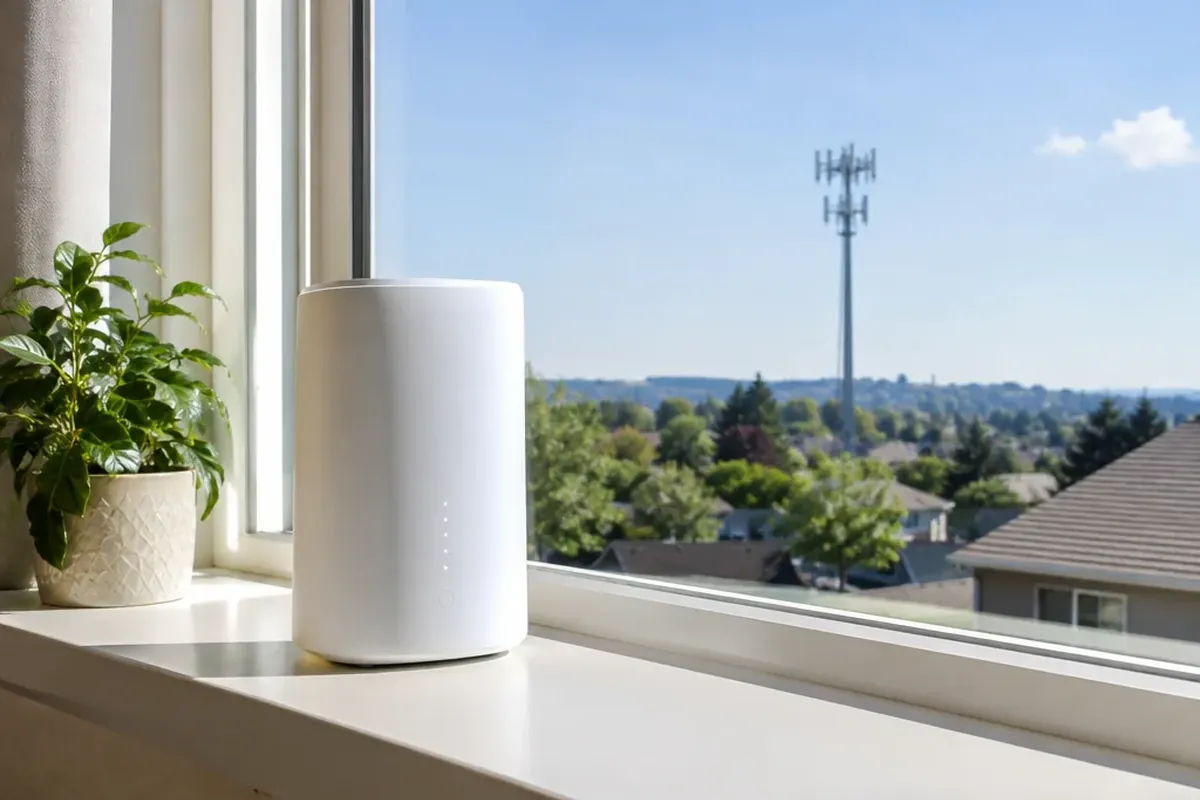
5G fixed wireless access delivers high-speed home and business internet over cellular radio waves directly to a stationary receiver, without running a physical cable into the building. There is no wait for trenching crews or permits: the carrier mails a gateway, you place it near a window, and setup takes about 15 minutes. Real-world downloads typically run 50 to 500 Mbps, with peaks up to 2 Gbps under favorable conditions. Fiber reaches about 43 percent of US households, while 5G fixed wireless is available to more than 50 percent.
What Is FWA in Telecom and How Does It Work?
In telecommunications, Fixed Wireless Access (FWA) provides a broadband connection via radio signals to a fixed location, such as a residence or commercial facility, eliminating the need to pull physical cables from the distribution point into the building. Unlike mobile broadband used on smartphones, FWA explicitly excludes portable battery-powered mobile Wi-Fi routers (Mi-Fi pucks) and smartphone tethering; the customer premises equipment (CPE) remains permanently at a fixed location. The 3GPP specifications establish FWA as a primary use case within 5G New Radio (NR) standards, and roughly 40 percent of all 5G launches worldwide had included an FWA offer by early 2023.
Under the hood, FWA sessions operate across the same mobile Radio Access Network (RAN) infrastructure that serves smartphones, using 4G e-UTRAN or 5G NR. However, the core network manages these sessions differently: FWA data sessions use the same centralized accounting, authentication, and IP address management frameworks applied to fixed Broadband Network Gateway (BNG) subscriber sessions. According to Ericsson, 5G FWA is the first wireless technology to reach latencies and speeds comparable to fiber.
Hardware Architecture: Indoor Gateways vs. Outdoor Receivers
Every fixed wireless deployment relies on customer premises equipment positioned inside or outside the building to communicate with the carrier’s base station. Carriers supply three distinct CPE form factors:
- Indoor Gateways: An integrated Wi-Fi router designed for customer self-installation. Typical sub-6 GHz (FR1) indoor units feature internal antenna gains of 3 to 6 dBi.
- Outdoor Receivers: Units mounted externally with higher antenna gain that require technician installation. Outdoor units achieve directional antenna gains of 7 to 11 dBi, which can improve spectral efficiency by up to 60 percent compared to standard indoor units.
- Flexible Installation Receivers: Tablet-sized devices designed for customer self-installation, engineered for millimeter-wave (mmWave) deployments in urban environments under 1 kilometer from the base station.
Current hardware keeps improving. One recent indoor gateway combines tri-band Wi-Fi 7, eight receive antennas, and up to 200 MHz of spectrum to improve coverage by up to 35 percent. The newest FWA chip platforms support Wi-Fi 6E, Wi-Fi 7, and Wi-Fi 8 and list peak mmWave downloads of 14.8 Gbps.
How to Set Up a 5G Fixed Wireless Access Connection
A residential 5G connection needs no technician visit and no drilling. Major US providers ship the gateway by mail, and setup follows four steps:
- Unpack the Device: Remove the gateway and power adapter from the shipping package.
- Window Placement: Position the device near a window. Placing the gateway behind furniture or in a corner instead of near a window can degrade signal strength by 10 to 20 dB.
- App-Guided Alignment: Use the carrier’s mobile app to locate the optimal position with the strongest signal.
- Power On: Connect the power cable and switch on the device; the entire self-installation process typically takes about 15 minutes.
If the indoor signal is weak, window-mount outdoor units exist that improve radio efficiency by up to 60 percent and can still be installed by the customer.
Performance Comparison: 5G FWA vs. Fiber and Cable
5G FWA delivers 50 to 500 Mbps in practice, but its profile differs from cable and from symmetrical fiber-to-the-home (FTTH):
| Metric | 5G Fixed Wireless Access | Cable Internet (DOCSIS 3.1) | Fiber-to-the-Home (FTTH) |
|---|---|---|---|
| Download Speed | 50–500 Mbps (up to 2 Gbps peak) | 100–2,000 Mbps | 300–5,000 Mbps |
| Upload Speed | 10–50 Mbps (Asymmetrical) | 10–100 Mbps (Asymmetrical) | 300–5,000 Mbps (Symmetrical) |
| Round-Trip Latency | 20–50 ms | — | 3–10 ms |
| Jitter | 5–20 ms | — | < 1 ms |
| Consistent Quality Score | 50–80% | — | 95–100% |
| 50 GB File Upload Time | 2 to 11 hours | — | ~7 minutes (at 1 Gbps) |
Fiber stays ahead on consistency and latency. Near a lightly loaded tower, 5G FWA can reach 300 to 500 Mbps, but in congested suburbs at peak hours it can drop to 30 to 50 Mbps. The slower upload is the clearest gap: a 50 GB upload takes 2 to 11 hours on FWA versus about 7 minutes on 1 Gbps symmetrical fiber.
Carrier Deployments: AT&T, Verizon, and T-Mobile
T-Mobile, Verizon, and AT&T offer FWA plans without annual contracts and without hidden equipment fees. T-Mobile Home Internet costs about $50 per month without a data cap.
AT&T Internet Air starts at $55 per month with autopay and paperless billing, also without a data cap. The carriers differ in how they handle heavy usage: during cell congestion, AT&T can slow Internet Air customers who contribute to the congestion for at least 30 minutes. T-Mobile and Verizon do not impose hard data caps, but both reserve the right to deprioritize residential FWA data traffic during cellular network congestion.
Traffic Priority, Network Slicing, and Peak Congestion
Home users load the cell far more than phones do. A single residential FWA household generates approximately 3.3 Mbps of average load during peak busy hours, compared to 0.13 Mbps produced by a mobile smartphone user. During peak evening hours between 7:00 PM and 10:00 PM, real-world FWA speeds in congested sectors can drop by 30 to 60 percent compared to off-peak performance.
Operators use several tools to keep service stable:
- 3GPP Network Slicing: Allows operators to assign FWA traffic its own dedicated slice with guaranteed minimum bandwidth, separated from standard mobile phone traffic.
- Ericsson RAN Differentiated Connectivity: Uses three scheduling methods, Relative Priority Scheduling (RPS), Rate-Controlled Scheduling (RCS), and Radio Resource Partitioning (RRP), so operators can configure premium FWA tiers with guaranteed performance.
- Allot Dynamic Application Recognition Technology (DART): Identifies applications in real time and prioritizes traffic during congestion per subscriber and per application, enabling up to 10 to 30 percent more subscribers per cell.
Coverage, Line of Sight, and Environmental Signal Loss
Range depends mostly on frequency. Sub-6 GHz (FR1) signals reach distances of several kilometers; a clear line of sight (LOS) significantly improves performance, though it is not strictly required. In contrast, high-band mmWave (FR2, operating at 24 to 40 GHz) has a substantially shorter reach: compared to 2.6 GHz mid-band transmissions, 28 GHz and 39 GHz signals exhibit 21 dB and 24 dB higher free-space path loss, respectively, with additional attenuation caused by trees, buildings, and rain.
Physical obstacles such as buildings and trees cause signal attenuation of 10 to 20 dB per object, making line of sight strongly preferred for reliable links over longer distances. Ookla data show a seasonal speed dip from the first to the second quarter at all three major US carriers, linked to dense spring and summer foliage. In rural areas where cell sites are typically more than 1 kilometer apart, mmWave FWA coverage is heavily restricted without extended-range systems. Using extended-range technology, Ericsson and UScellular expanded mmWave reach from the typical 600–900 meters to over 5 kilometers, multiplying achievable coverage area by a factor of 40.
Rural Broadband Expansion and FWA vs. Starlink
In the United States, an estimated 18 to 42 million people lack broadband access, making FWA a key technology for closing the digital divide. In an Ohio municipal deployment, an Ericsson Massive MIMO-based FWA system delivered 100 Mbps over several miles and through tree cover, connecting the first customers less than 30 days after the municipality’s decision.
In rural areas of the United States, FWA download speeds average 40.5 percent lower than in urban areas, accompanied by a 7 to 13 ms latency increase across all three major US carriers, while consistent quality scores drop by only 5 percentage points. About 70 percent of FWA speed test samples in the US originate in urban areas, while 30 percent come from rural zones, reflecting growing urban demand.
In unserved and underserved areas, FWA competes with satellite providers such as Starlink:
- Hardware and Monthly Cost: 5G FWA is generally more affordable (approximately $50 to $55 per month) than Starlink ($90 to $120 per month) and does not require a bulky outdoor antenna requiring an unobstructed view of the sky.
- Consistent Quality: In rural field measurements, FWA achieved a 66 percent consistent quality score (and 71 percent in urban areas) compared to 62 percent for Starlink.
- Speed and Latency Metrics: In 10-country data from Nokia and Ookla, 5G FWA recorded a median download speed of 149 Mbps and 41 ms latency, compared to 91 Mbps and 61 ms for Starlink. In one half-year Ookla report for the US, Starlink recorded a median download of 119.71 Mbps, while T-Mobile FWA reached 222.7 Mbps. Across rural areas in 14 European markets analyzed by Opensignal, Starlink was the fastest broadband option, doubling average FWA speeds.
Common Myths and Misunderstandings About 5G Home Internet
Several misunderstandings come up often:
- Myth 1: FWA is just hotspot tethering from a smartphone. FWA explicitly excludes smartphone tethering and portable battery-powered mobile routers; the CPE remains stationary. It shares the mobile radio network with phones but is managed like a fixed broadband line and uses stationary indoor (3 to 6 dBi) or outdoor (7 to 11 dBi) antennas.
- Myth 2: Fixed wireless is solely intended for remote rural cabins. In the US, approximately 70 percent of FWA speed test samples come from urban areas. Internationally, FWA is well-established: in the Czech Republic, Bulgaria, and Slovakia, FWA represents 22 to 26 percent of all fixed broadband connections. In Finland, 43 percent of households rely exclusively on mobile connections as a fixed-line substitute.
- Myth 3: Millimeter-wave signals cannot travel beyond a few hundred meters. While standard mmWave reaches 600 to 900 meters, extended-range carrier equipment expands coverage beyond 5 kilometers, increasing the serviceable area by a factor of 40.
- Myth 4: A 5G gateway functions identically to a traditional cable modem for advanced networking. Major US FWA carriers route traffic through Carrier-Grade Network Address Translation (CGNAT). The gateway does not receive a public IPv4 address, which prevents port forwarding and creates obstacles for self-hosted home servers and peer-to-peer online gaming.
Frequently Asked Questions
What is FWA in telecom?
Fixed Wireless Access (FWA) is a broadband connection that delivers high-speed internet to a fixed location, such as a home or business, over cellular radio. No cable has to be run into the building; a stationary receiver talks to a nearby cell tower.
How does FWA work?
FWA establishes a wireless data connection between an operator’s cellular base station (operating on 4G LTE or 5G NR frequencies) and stationary customer premises equipment installed inside or outside a building. The gateway receives the cellular radio signal and distributes local connectivity via Wi-Fi and Ethernet.
Is a 5G WiFi network better than cable or fiber?
It depends on your address and needs. 5G FWA installs in about 15 minutes, costs about $50 to $55 per month without an annual contract, and needs no construction. Fiber wins on performance: symmetrical 300 to 5,000 Mbps, 3 to 10 ms latency, and far steadier quality than FWA’s 20 to 50 ms latency and 10 to 50 Mbps uploads.
Is 5G FWA good?
For many households, yes, especially where fiber is not available. It handles streaming, browsing, and video calls well. It is a weaker fit for heavy uploading, competitive gaming, or hosting servers at home, and it works best with a strong signal and an uncrowded cell.
How do I get a 5G connection for home internet?
Check availability for your address with a carrier and order a plan. The gateway arrives by mail, with no technician visit or drilling. Place it near a window, use the carrier’s app to find the strongest signal, and power it on; setup takes about 15 minutes.
What is a drawback of fixed wireless internet?
The main drawback is evening congestion: between 7:00 PM and 10:00 PM, speeds in busy cells can drop by 30 to 60 percent. Other limits are slower uploads (10 to 50 Mbps), higher latency and jitter that competitive gamers notice, and Carrier-Grade NAT (CGNAT), which blocks port forwarding for home servers.
Can I use a smartphone as an FWA replacement?
No. By definition, FWA excludes smartphone tethering and portable battery-powered hotspots, because the receiver stays at a fixed location. The stationary gateway is also managed like a fixed broadband line rather than a phone plan.