
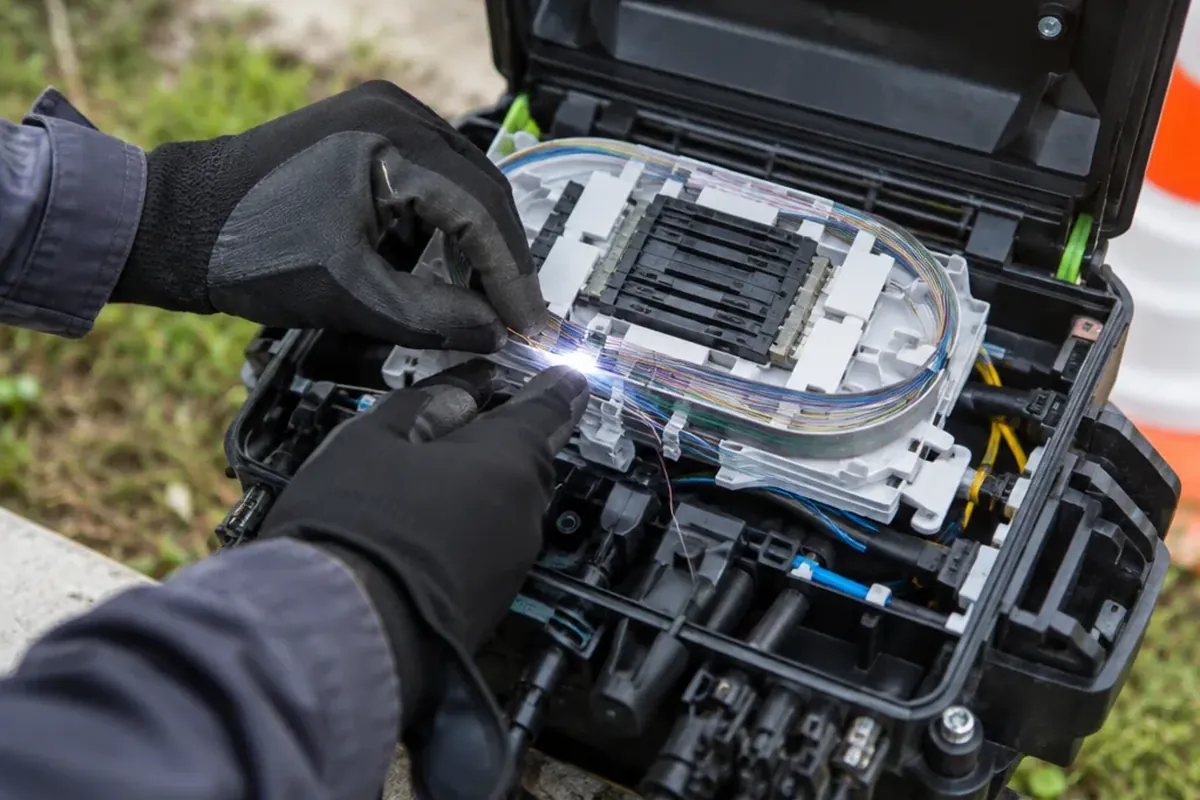
Optical fiber internet sends your data as pulses of light through glass instead of electrical signals through copper. For a household that needs upload capacity as much as download capacity, the difference is substantial: a 1 Gbps fiber connection can provide 1 Gbps in each direction, while a similar legacy cable tier often has far less upstream room. The same glass that enters your home can carry many terabits per second in the backbone.
What optical fiber internet does differently
A fiber strand is typically silica glass about the diameter of a human hair. A laser turns electrical data into photons; at the far end, a photodiode in an optical receiver turns the arriving light back into an electrical signal.
The glass has two layers: a core and the cladding around it. The core has a higher refractive index, so light that hits the boundary beyond the critical angle reflects back into the core. This total internal reflection keeps the signal inside the fiber.
Signal loss is very low: modern single-mode fiber loses around 0.22 dB/km at 1550 nm. With wavelength-division multiplexing (WDM), dozens of wavelengths travel through one fiber, each carrying 400 to 800 Gbit/s. These are backbone figures, not home-plan speeds, but they show how much headroom the medium has.
The final stretch decides whether you get full fiber
“Fiber internet” can describe very different last-mile networks. Fiber to the Home (FTTH) runs fiber all the way to the dwelling and delivers the highest symmetrical speeds. Fiber to the Curb (FTTC) stops at a street cabinet roughly 300 m away; VDSL2 over the remaining copper phone line typically delivers about 40–80 Mbps down and 10–20 Mbps up. Fiber to the Node (FTTN) leaves up to 1.5 km of copper, so speeds depend much more on distance.
FTTH providers commonly use a passive optical network (PON). GPON (ITU-T G.984) has nominal line rates of 2.488 Gbit/s downstream and 1.244 Gbit/s upstream. XGS-PON (ITU-T G.9807.1) runs at 9.953 Gbit/s in both directions. Both can share the same fiber because they use different wavelengths. These rates are shared among the homes on a split, so no single subscriber gets the full figure.
Fiber optic vs cable internet speed: uploads expose the difference
Cable internet uses coaxial copper cable and DOCSIS protocols. With up to 1.2 Gbps downstream, it can look close to fiber in a speed-test headline. The gap shows upstream: a 1 Gbps fiber plan can offer 1 Gbps upload, while legacy cable systems typically offer 10–35 Mbps upload for a comparable download tier.
You notice it when one person is on a video call while another backs up a laptop or sends a large project file, because both need upstream bandwidth. Cable capacity is also shared across the neighborhood, so speeds can fall in busy periods. Fiber latency is typically lower as well: below 10 ms versus about 15–35 ms for cable, although routing, equipment, and home Wi-Fi still affect the result.
| Connection type | What reaches the home | Speed and latency pattern |
|---|---|---|
| FTTH | Fiber to the dwelling | Highest symmetrical service potential; typically below 10 ms latency |
| FTTC | Fiber to cabinet, copper for about 300 m | About 40–80 Mbps down and 10–20 Mbps up at real loop lengths |
| FTTN | Fiber to node, longer copper segment | More distance-sensitive than FTTC |
| Legacy cable | Coaxial copper | Up to 1.2 Gbps down; typically 10–35 Mbps up; 15–35 ms latency |
The comparison is changing in upgraded markets. Mid- and high-split DOCSIS 3.1 upgrades can raise cable uploads to 100–500 Mbps, and early DOCSIS 4.0 deployments offer multi-gig symmetrical service in initial U.S. markets. Before choosing, check the stated upload speed and the technology at your address, not just the marketing label.
Your home needs a new fiber line, not pre-existing fiber wiring
Your house does not have to be wired for fiber in advance. For true fiber internet, an installer runs a new thin fiber drop from the provider network into the home; existing coaxial or telephone wiring is not used. Depending on the property, the drop may be aerial on utility poles or underground in conduit, and entry can require a small hole in an exterior wall.
A standard installation takes 2–3 hours: the technician surveys the site, runs the drop, installs an Optical Network Terminal (ONT) near a power outlet, connects the ONT to the router by Ethernet, and tests the service. The ONT is fiber’s equivalent of a cable modem. It has a fiber port for incoming light, an Ethernet port for the router, and power; some models also have a voice port.
In apartments and condos, the building must already have fiber, or the provider must be able to extend it to your unit, often in coordination with property management.
The real downsides are availability, power, and repairs
Fiber is not available everywhere. By the end of 2025, it passed about 84.6 million U.S. homes, roughly 60.5% of households, so nearly 40% still cannot get it. That is why fiber internet availability at your exact address matters more than a citywide claim. The federal BEAD program, created by the Infrastructure Investment and Jobs Act of 2021, provides $42.45 billion to expand broadband, but it does not bring service to a particular home right away.
Installation needs an appointment and may involve drilling or trenching. The ONT and router need electricity, so the internet stops during a power outage unless a battery backup (UPS) keeps them running. A cut fiber cannot simply be twisted or crimped back together; repair needs fusion-splicing equipment and trained technicians. If you want TV and phone in one package, cable can be more convenient, since fewer fiber providers offer bundles.
Three fiber myths that cause bad buying decisions
- “Fiber always means a dedicated connection.” While business-grade fiber offers a dedicated connection, residential FTTH using PON divides capacity among subscribers across split ratios such as 1:64.
- “Every device will become faster after installation.” Your Wi-Fi still decides what reaches each device. A combined ONT/router unit simplifies setup, but larger homes may need mesh Wi-Fi extenders.
- “Fiber is immune to every disruption.” Because it carries light rather than electricity, fiber is immune to electromagnetic interference and electrical storm surges. But it can still be cut, and its home equipment still needs power.
Best optical fiber internet starts with the address, not a provider list
The best optical fiber internet for your address is real FTTH, offers the upload speed you need, and can be installed on workable terms. Before comparing provider names, compare the service technology, upload and download tiers, equipment placement, and any building-access requirements.
Los Angeles shows why a citywide claim can mislead. Fifteen fiber providers operate there, yet FCC data show fiber at only 51.9% of the city’s 672,643 homes and businesses. AT&T reported fiber at 33.7% of locations and Frontier at 16.9%, while Spectrum cable covered 94.1%. Fiber internet in Los Angeles therefore depends heavily on the street.
Where available, AT&T Fiber plans range from 300 Mbps to 5 Gbps. The FCC has also cleared AT&T’s request to discontinue copper voice service at more than 184,000 California locations, part of the move from copper to fiber.
Optical fiber or AirFiber: choose the constraint you have
AirFiber is fixed wireless: antennas send data over microwave or millimeter-wave radio. With a clear line of sight, it can reach up to 1 Gbps. It is practical where trenching fiber is too expensive, and installation takes 1–2 days without digging. Its limits are weather, obstructions, and interference; latency is about 20–40 ms.
Optical fiber delivers 100 Mbps to 10 Gbps, stays consistent in any weather, and has latency around 5–20 ms. The cable has to be laid and may require drilling, so installation takes 3–7 days or longer. For a rural location with a clear path and no affordable construction route, AirFiber can be the better available option. For raw stability, symmetrical capacity, and long-term scaling, optical fiber is the stronger medium.
Frequently Asked Questions
What is fiber optics internet?
Fiber optics internet transmits data as pulses of light through glass strands instead of electrical signals through copper. An ONT at your home converts the light signal into electrical data for the router.
What is the price of 1000 meters of fiber optic cable?
A 1,000-meter spool of basic single-mode distribution cable costs roughly $390–$720 for the cable alone. Installation, termination, and testing are priced separately and often cost more than the cable. Prices for bare fiber have also risen sharply recently, so check current quotes.
Which is better, AirFiber or optical fiber?
For stable, weather-resistant, symmetrical performance and long-term scale, optical fiber is better. Where a line-of-sight wireless link is easier to install than a new fiber route, AirFiber is a practical alternative.
What is the downside to fiber internet?
It is still unavailable at many addresses, installation can require outdoor work, and the ONT and router stop during a power outage without a UPS. A cut fiber also needs specialized repair.
Does your house have to be wired for fiber internet?
No. Where service is available, the installer normally brings a new fiber line to the house and installs an ONT. In apartments and condos, building infrastructure and property-manager coordination may be needed.